RAG Assistant for Zotero
For Mac, Windows and Linux.
Semantic search of your Zotero library.
Describe what you are looking for and RAG Assistant finds the passages in your PDFs, each cited to its document and page. A library clerk, not a summariser. It runs on your computer with a local model, so your library stays where it is.
- FreeOpen source, GPL-3.0
- 3,000+downloads
- On devicewith Ollama or LM Studio
- Zoteroneeds the desktop app
Install
brew tap Quiet-Signals-Lab/rag-assistant-for-zotero
brew install --cask rag-assistant-for-zotero
Download the latest .dmg
macOS 11 or later, Apple silicon. Signed and notarised.
winget install aahepburn.RAGAssistantForZoteroDownload the latest .exe
Windows 10 or later. Not code-signed yet, so SmartScreen may warn on first launch.
Debian and Ubuntu. Everything it needs is in the package.
Find the passage, not just the paper.
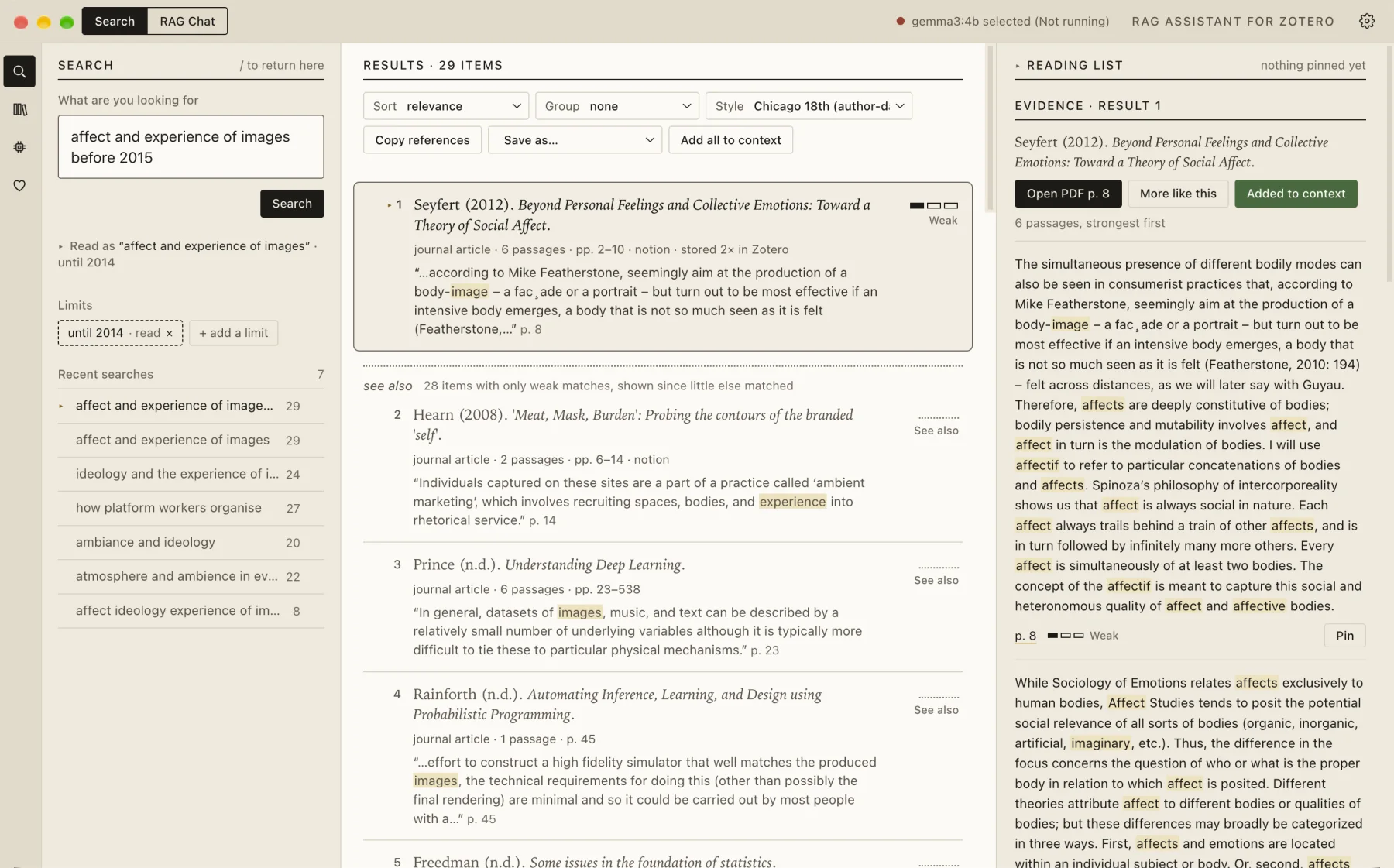
Hybrid search over every PDF in your library: meaning and exact terms together, reranked before anything is shown.
 123
Reads the question
A date, a tag or a collection in your words becomes a limit you can see and remove.
Says how strong a match is
Results are graded. Weak matches are set apart under “see also”, not used to pad the list.
Shows the passage
Each passage is quoted with its page number, and the PDF opens at that page.
Ask, and check the answer.
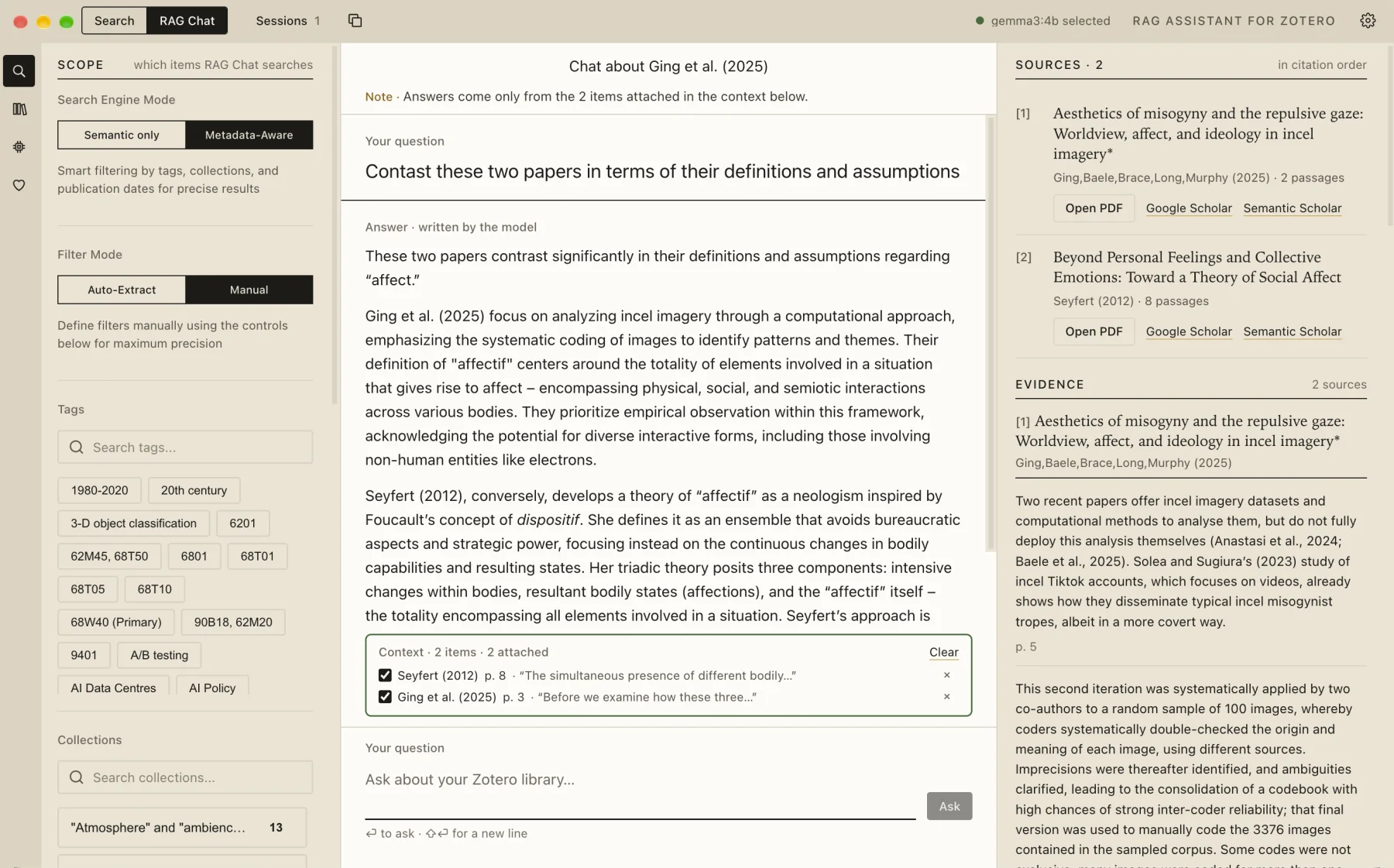
Questions answered from your own sources, with the evidence beside each answer.
 123
Answers from what you attach
Add results to the context and the model answers from those items only.
Sources beside the answer
Every source is listed in citation order, with the passages the answer drew on.
Your choice of model
A local model through Ollama or LM Studio, or a cloud provider with your own key.
Subscribe to our newsletter
Occasional email from Quiet Signals Lab: new software, releases and writing.